
Microsoft 365 Activation Guide
Microsoft 365 Guide
Microsoft 365 Activation
Setting up and activating Microsoft 365 can be done in a few simple steps.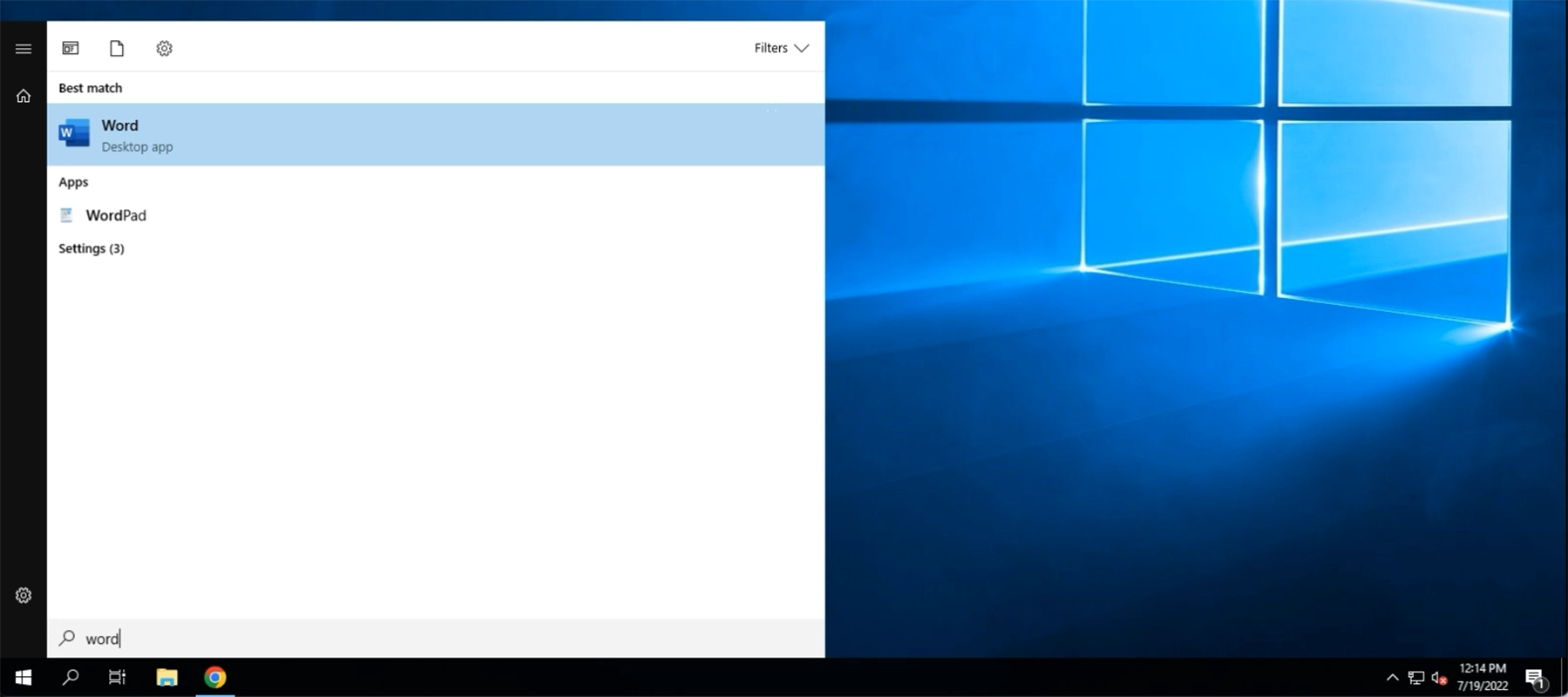
Step 1
Click on your start button and search for any office 365 application
Step 2
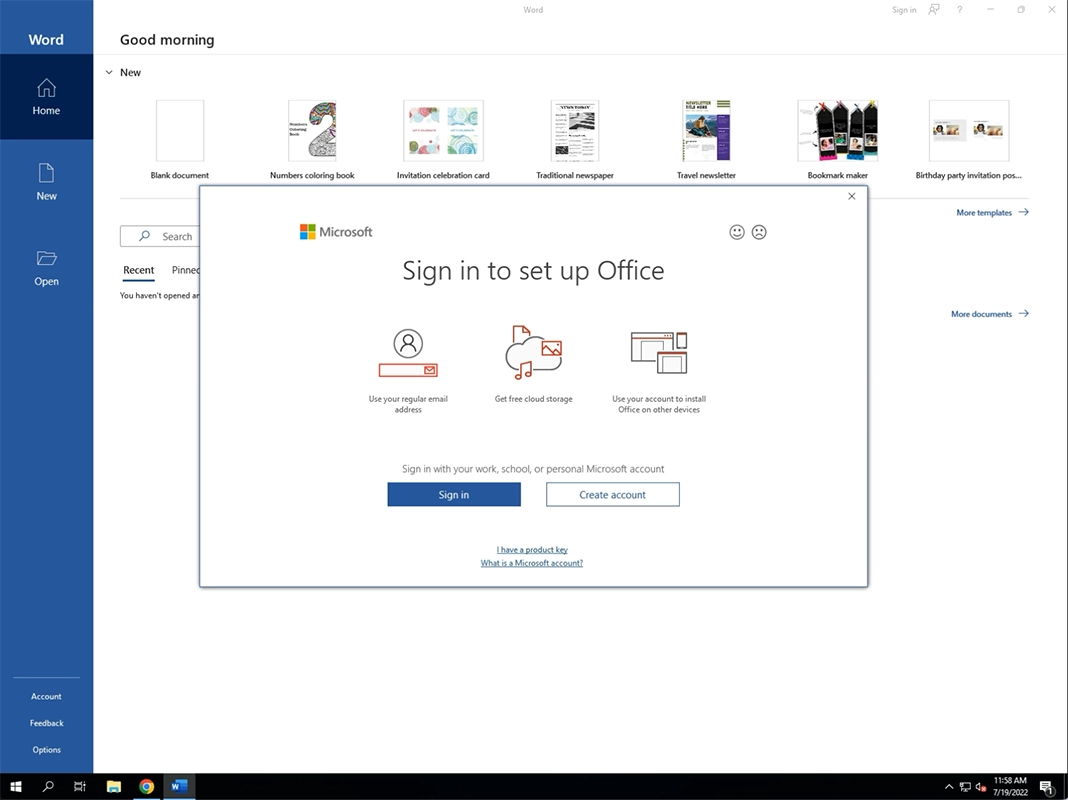
Once you launch your application, you will see a window popup asking for you to sign into and set up Office. Click on Sign In
Step 3
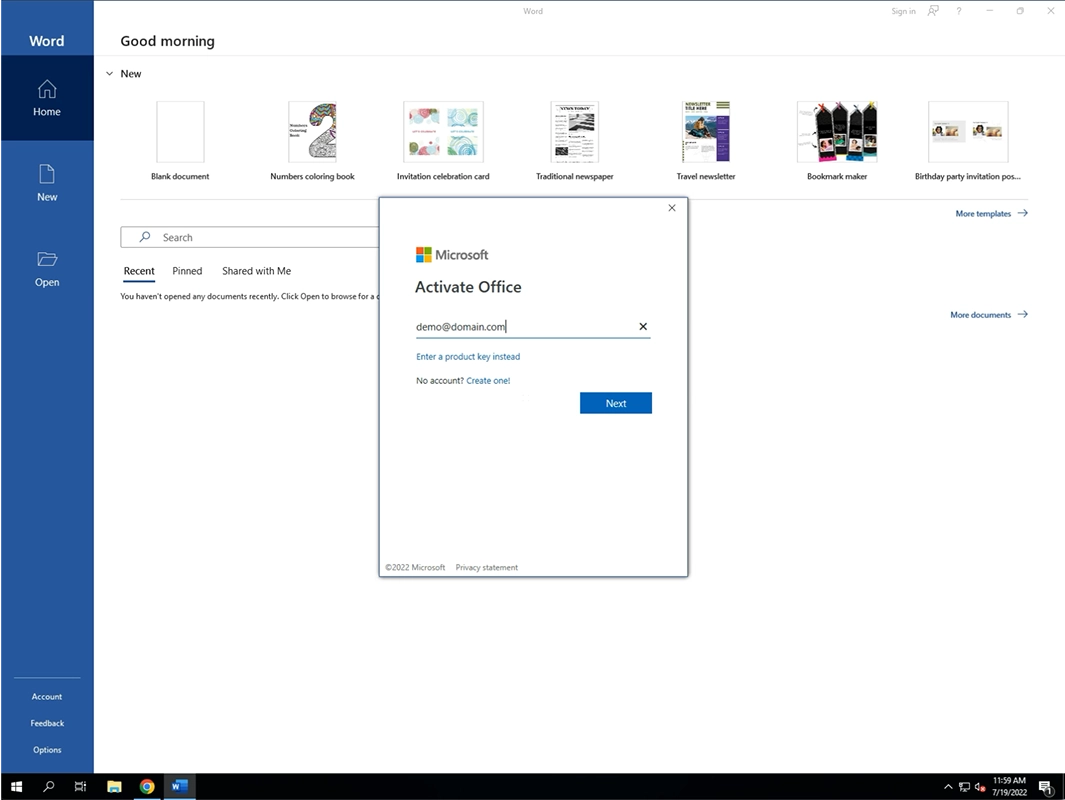
Sign in to your Microsoft 365 Account using your email address. Click Next once completed
Step 4
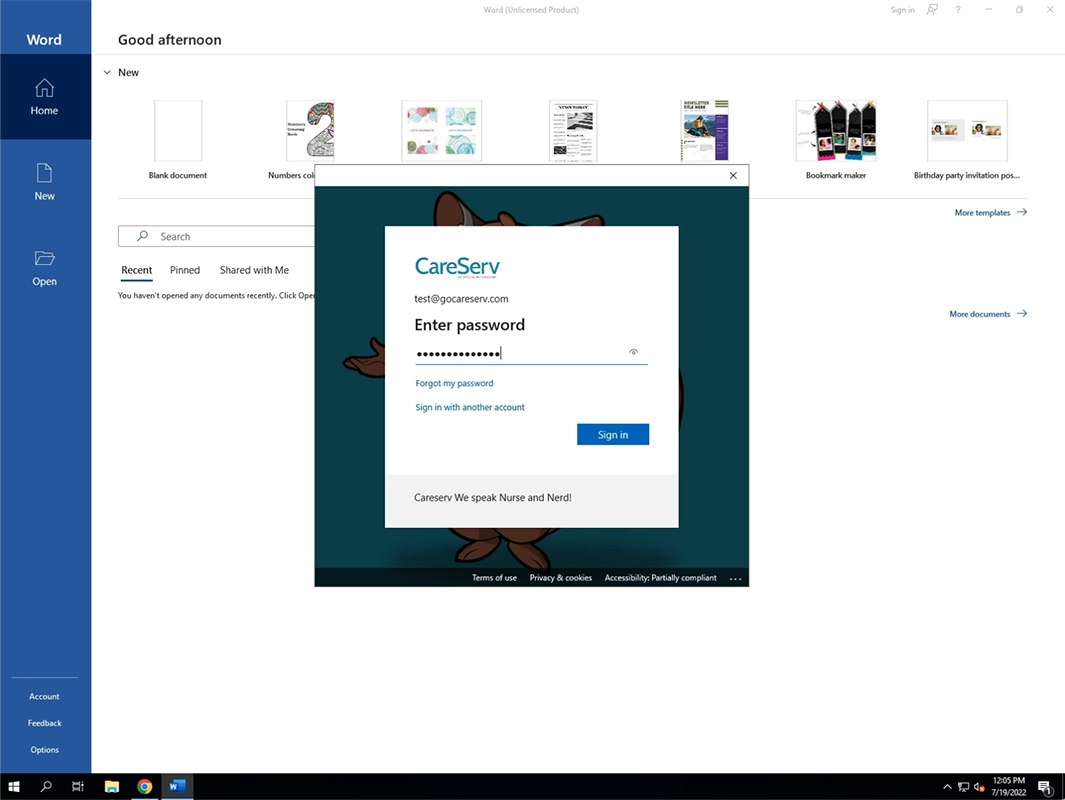
Enter your M365 Password and click Next. If MFA is activated on your account then you will need to authenticate using the method that has already been set up.
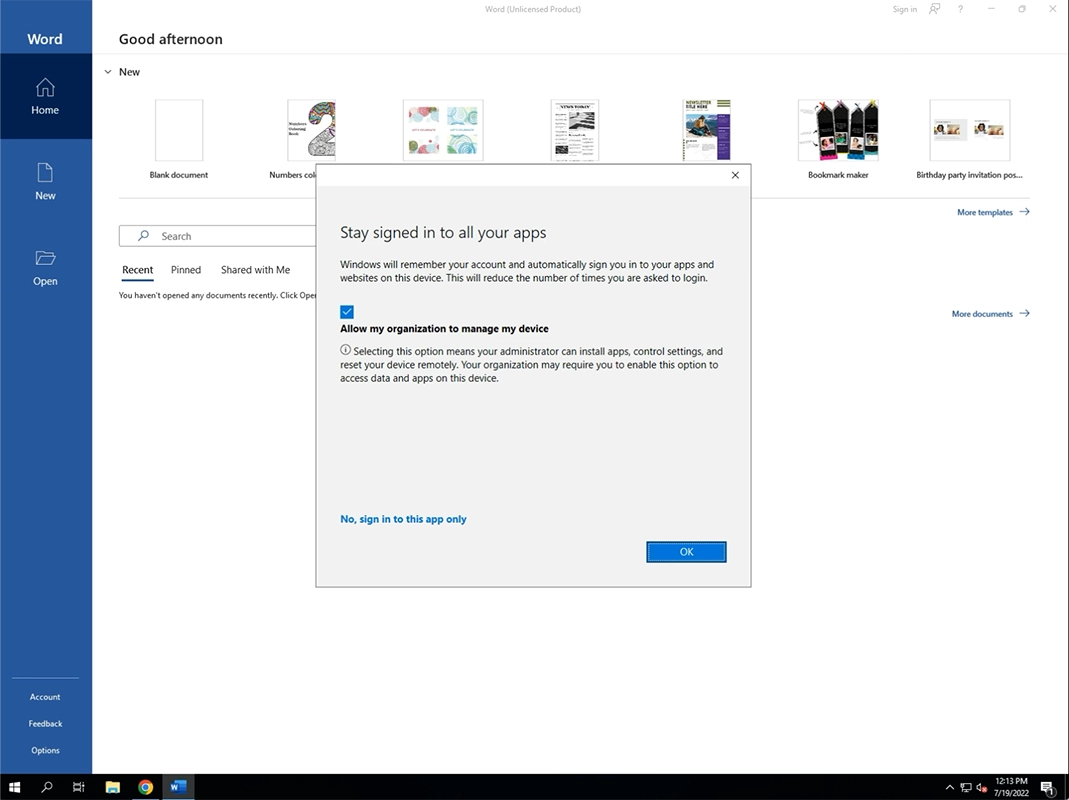
Step 5
Leave allow my organization to manage my device checked and then click on OK
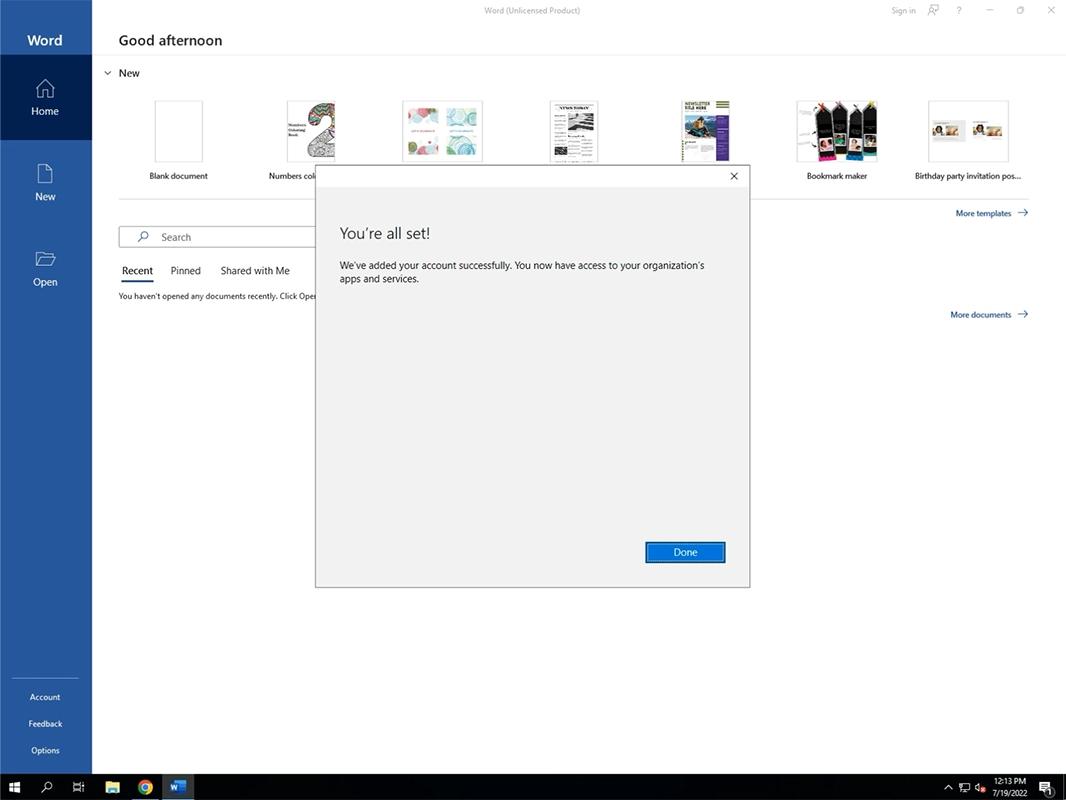
Step 6
You are all set! Click on Done
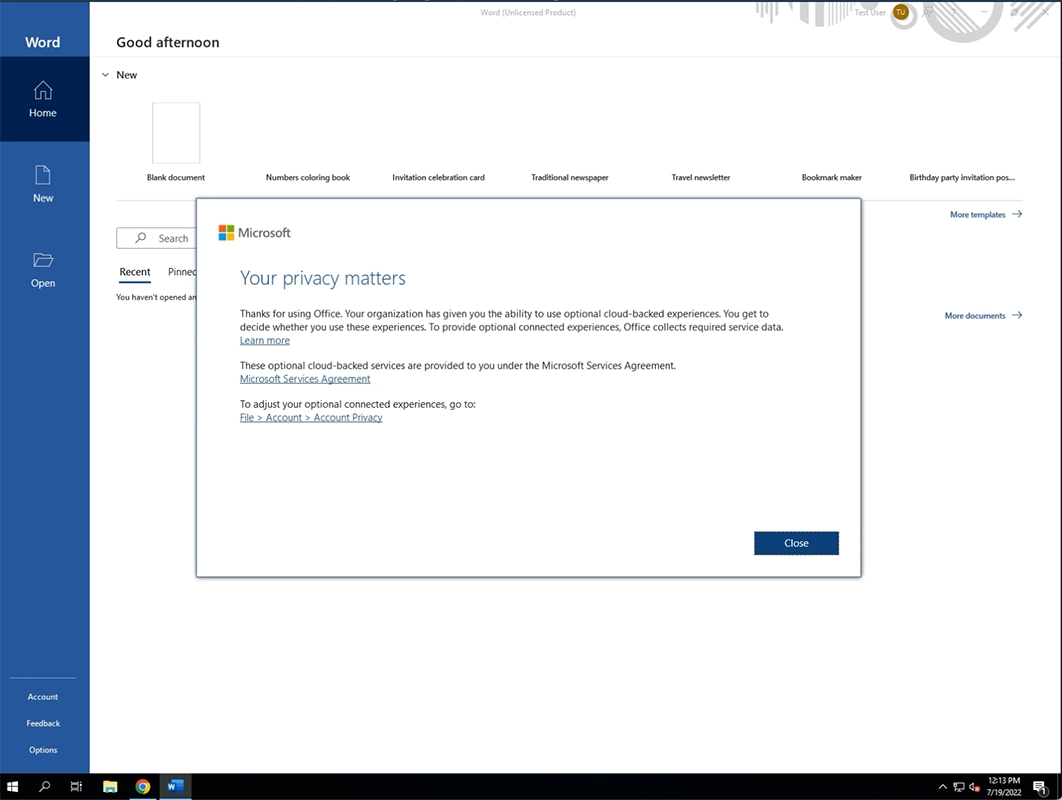
Step 7
You may see a privacy matters screen or an accept license screen. Click Accept or Close accordingly.